Debbie Grattan Voiceover Branding Logo
  • HOME
  • DEMOS
  • ABOUT
    • BIO
    • RECENT PROJECTS
    • TESTIMONIALS
    • CLIENTS
    • WHY HIRE DEBBIE
    • STUDIO SPECS
    • RESOURCES
  • SERVICES
    • SERVICES
    • COMMERCIALS
      • COMMERCIALS
      • HEALTH & MEDICAL
      • AUTOMOTIVE
      • BUSINESS & CONSUMER
      • CHILDREN’S PRODUCTS
      • POLITICAL
      • INFOMERCIALS
      • RADIO SPOTS
    • NARRATION
      • NARRATION
      • CORPORATE VIDEOS
      • HEALTH & MEDICAL
      • TECHNICAL
      • E-LEARNING
      • WEB VIDEOS
      • EXPLAINER VIDEO
      • TRAVEL & LEISURE
    • INFOMERCIALS
      • INFOMERCIALS
      • CHILDREN’S TOY
      • BEAUTY AND COSMETIC
      • HEALTH, FITNESS & OTHER
    • CHARACTERS
      • CHARACTERS
      • ANIMATION VOICE OVER
      • ACCENTS & DIALECTS
      • ON-CAMERA ACTING
      • CHILD TEEN VOICEOVER
    • PHONE RELATED
  • BLOG
  • CONTACT
    • CONTACT DEBBIE
    • REQUEST A QUOTE
    • REQUEST AN AUDITION

VERSATILE

EXPERIENCED

PROFESSIONAL

1-866-DGVOPRO

Debbie Grattan

How to Write a Voice Over Script (With Template & Examples)

July 6, 2026 by Debbie Grattan

How to write a voice over script

You’ve written a script. It reads beautifully on the page. Then someone reads it out loud, and it falls apart. Sentences run out of breath halfway through. A perfectly innocent phrase turns into a tongue-twister. The whole thing runs fifteen seconds too long for the slot you booked.

I’ve recorded thousands of client scripts over 25 years behind the microphone, and I can tell you that the gap between “looks good” and “sounds good” is where most voice over scripts get into trouble. The good news: writing for the ear is a skill, not a talent, and once you know what to watch for, it’s not hard.

This guide walks you through how to write a voice over script step by step, with a template you can copy, real examples, and the specific things I notice from the booth that separate a smooth session from a painful one.

What Is a Voice Over Script?

A voice over script is the written copy a voice actor reads aloud, along with any direction and timing notes that tell the performer how to read it. It’s the blueprint for a commercial, explainer video, e-learning module, phone system, narration, or any project where a voice carries the message.

Here’s something worth clearing up first, because two different groups search for “how to write a voice over script” and they want two different things:

Writing the copy. Most people mean this, how to write words that sound natural and persuasive when spoken, for a commercial, explainer, tutorial, or narration. This is what a marketer, business owner, video producer, or course creator needs, and it’s the main focus of this guide.

Formatting a “V.O.” cue in a screenplay. Screenwriters and filmmakers sometimes mean how to notate voice over inside a script, the “(V.O.)” tag next to a character’s name. That’s a formatting question, and I cover it briefly in the format section below so you’re covered either way.

If you’re writing copy to hand to a voice actor, keep reading, the next sections are for you.

Before You Write: 4 Things to Nail Down

The best scripts are decided before a single line is written. Get clear on these four things first and the writing gets much easier.

Your audience and goal. Who’s listening, and what do you want them to do or feel by the end? “Book a demo,” “trust us with your health,” “feel excited about the launch.” A script with one clear job outperforms a script that tries to do five.

The medium and its constraints. A :30 radio spot, a two-minute explainer, an IVR phone menu, and a 20-minute e-learning module all read very differently. The medium sets the pace, the formality, and the length before you write a word.

Tone and style. Decide on the feel and describe it in concrete terms. “Conversational and warm,” “authoritative and clinical,” “playful and fast.” Skip vague words like “nice”, they don’t tell a voice actor anything. The more specific you are, the closer the first take lands.

Your timing target. Most conversational voice over lands around 150–160 words per minute of finished audio. So a :30 spot is roughly 75–80 words, and a :60 is roughly 150–160, a little less if you want room to breathe or music underneath. The single most reliable trick in this whole guide: read your draft out loud with a stopwatch. If you’re over, you’re over, and it’s better to find out now than in the studio.

How to Write a Voice Over Script, Step by Step

  1. Write for the ear, not the eye. Short sentences. Plain words. Contractions (“you’ll,” “we’re”) because that’s how people actually talk. If a sentence needs a comma just to survive, cut it in two.
  2. Lead with a hook. The first line decides whether anyone hears the second. Open with a question, a surprising fact, or the listener’s problem, not your company’s founding date.
  3. Say it out loud as you write. Not at the end, as you go. Your ear catches what your eye forgives. If you stumble reading it, so will the voice actor, and so will the listener.
  4. Cut ruthlessly to hit your time. Over-written copy is the number-one timing problem I see. When copy is jammed into too small a slot, the read gets rushed and lifeless. Trust me: fewer words, delivered with room to breathe, always sound better.
  5. Mark pronunciation. Spell out names, acronyms, medical or technical terms, and anything unusual, right in the script, “Nguyen (say: WIN),” “data (DAY-tuh).” It saves a retake and gets you the pronunciation you want.
  6. Add direction in brackets, and be specific. Use brackets to flag emotion or emphasis: “[warm, reassuring]” or “[building excitement].” Avoid “[nice]” or “[read it well].” Specific direction like “happily surprised” or “calm and clinical” gives a professional something real to act on.
  7. Do a final read-aloud pass and time it. One last full read, out loud, stopwatch running. Fix the stumbles, confirm the timing, and you’re ready to send it to the booth.

Voice Over Script Format (What to Put on the Page)

There’s no single legally correct format, but a clean layout makes everyone’s job easier. Two common approaches:

Single-column works well for straight audio, commercials, narration, phone prompts. Just the copy, with direction in brackets and pronunciation notes inline. Clean and fast to read.

Two-column works well for video, where sound has to line up with visuals. The left column holds the on-screen action or shot; the right column holds the matching voice over. This keeps your VO and visuals in sync and makes timing obvious.

Whichever you choose, keep it consistent: note timing where it matters (a :30 with a hard out, or a segment that must match a specific shot), put emphasis and emotional cues in brackets, and flag every tricky pronunciation.

A quick note for screenwriters. If you’re writing a screenplay and just need to indicate voice over, you write the character’s name followed by “(V.O.)” above their line, for example, NARRATOR (V.O.). That “(V.O.)” tag means the voice comes from outside the scene’s physical space (a narrator, a phone caller you can’t see, inner thoughts). It’s different from “(O.S.),” or off-screen, which means the character is physically in the scene but just isn’t on camera at that moment. That’s the whole formatting question, the rest of this guide is about writing the copy itself.

Voice Over Script Examples

Seeing the difference helps. Here are three short examples in different genres, with direction notes the way I’d actually want to receive them.

:30 Commercial (local dental practice)

[warm, welcoming, like talking to a neighbor] Dreading the dentist? At Riverside Dental, we get it. That’s why we’ve built the calmest, most comfortable office in town, from the heated chairs to the honest, no-pressure care. [reassuring] New patients, your first cleaning is on us this month. [friendly, clear] Riverside Dental. Call today.

Around 55 words, comfortably under :30, with breathing room.

Explainer video (SaaS product, segment)

[upbeat but not hyper, confident guide] Meet Tasklight. It pulls every project, deadline, and message into one clean view, so your team spends less time hunting and more time doing. [slightly slower, land the benefit] No more switching between five apps. Just work, in one place.

Notice the short second sentence, it gives the listener a beat to absorb the payoff.

E-learning intro (compliance course)

[calm, professional, welcoming, you’re a trusted instructor] Welcome to Workplace Safety Essentials. Over the next twenty minutes, we’ll walk through the core practices that keep you and your teammates safe on the job. [clear, steady] Let’s begin with the basics.

Formal but human, never robotic, even in training content.

Free Voice Over Script Template

Copy this and fill in the brackets. It works for most single-column projects; add a left column for on-screen visuals if you’re doing video.

PROJECT: [name / client]
LENGTH: [:30 / :60 / runtime target]
AUDIENCE: [who's listening]
GOAL: [what they should do or feel]
TONE: [2–3 specific adjectives, e.g. warm, confident, unhurried]

------------------------------------------------------

[direction: emotion/pace for this line]
Line of copy goes here. Keep sentences short.

[direction]
Next line. Mark tricky words like this: Porsche (say: POR-shuh).

[direction,  emphasis on the key benefit]
The line you most want the listener to remember.

[friendly, clear]
Call to action / tag line.

------------------------------------------------------
NOTES: pronunciations, hard timing points, anything the
voice actor should know before recording.

Common Voice Over Script Mistakes to Avoid

After a couple decades in the booth, the same handful of issues come up again and again:

Tongue-twisters. Clusters of hard consonants or repeated sounds (“she sells specialized surgical supplies”) trip up even pros. Read for these and smooth them out.

Over-writing the time slot. Cramming 200 words into a :30 forces a breathless read. Cut first, record second.

No room to breathe. Wall-to-wall copy with no pauses exhausts the listener. Let key lines land.

Vague direction. “Read it nicely” tells a voice actor nothing. Specific emotional cues get you a better first take.

Unmarked pronunciations. If it’s a name, brand, acronym, or technical term, tell the reader how you want it said. Guessing wastes everyone’s time.

For more of these, my post on common voice over script mistakes goes deeper, and if you’re prepping a script for a session, my tips on getting your script studio-ready will save you a retake or two.

Frequently Asked Questions

How many words is a 30-second voice over script? Roughly 75–80 words for a natural conversational pace, a bit fewer if you want music or pauses. A :60 is about 150–160. Always confirm by reading aloud with a stopwatch.

How do you indicate voice over in a script? What does V.O. mean? In a screenplay, put “(V.O.)” after the character’s name above their line, for example, NARRATOR (V.O.). “V.O.” stands for voice over and means the voice comes from outside the physical scene.

What’s the difference between V.O. and O.S.? “(V.O.)” is voice over, a narrator or unseen voice from outside the scene. “(O.S.)” is off-screen, a character who’s physically present in the scene but not currently on camera.

How long should a voice over script be? Long enough to make one point clearly, and no longer. Let the medium and your runtime target set the length, then cut anything that isn’t earning its place.

Should I write the script myself or hire someone? Plenty of great scripts are written in-house, this guide gives you what you need. If you’re stuck, a good voice actor can often help tighten timing and flag read-aloud issues before recording.

Can I send a rough script and have the voice actor help refine it? Often, yes. I regularly help clients smooth out timing and phrasing before we record. It’s much easier to fix on the page than in the booth.

Ready to Bring Your Script to Life?

Write for the ear, time it with a stopwatch, mark up your pronunciations and direction, and read it out loud one last time. Do those four things and you’ll hand over a script that records clean and sounds natural.

When your script is ready, or even if it’s still a rough draft, I’d be glad to help. Send it over for a free custom audition or quote, and let’s make it sound exactly the way you hear it in your head. After all, your script deserves more than just lip service.
Filed Under: For Voice Over Clients

The Ultimate Guide to Remote Voiceover Direction: Tools, Best Practices, and Studio Standards

March 9, 2026 by Debbie Grattan

Remote Voiceover Recording Direction

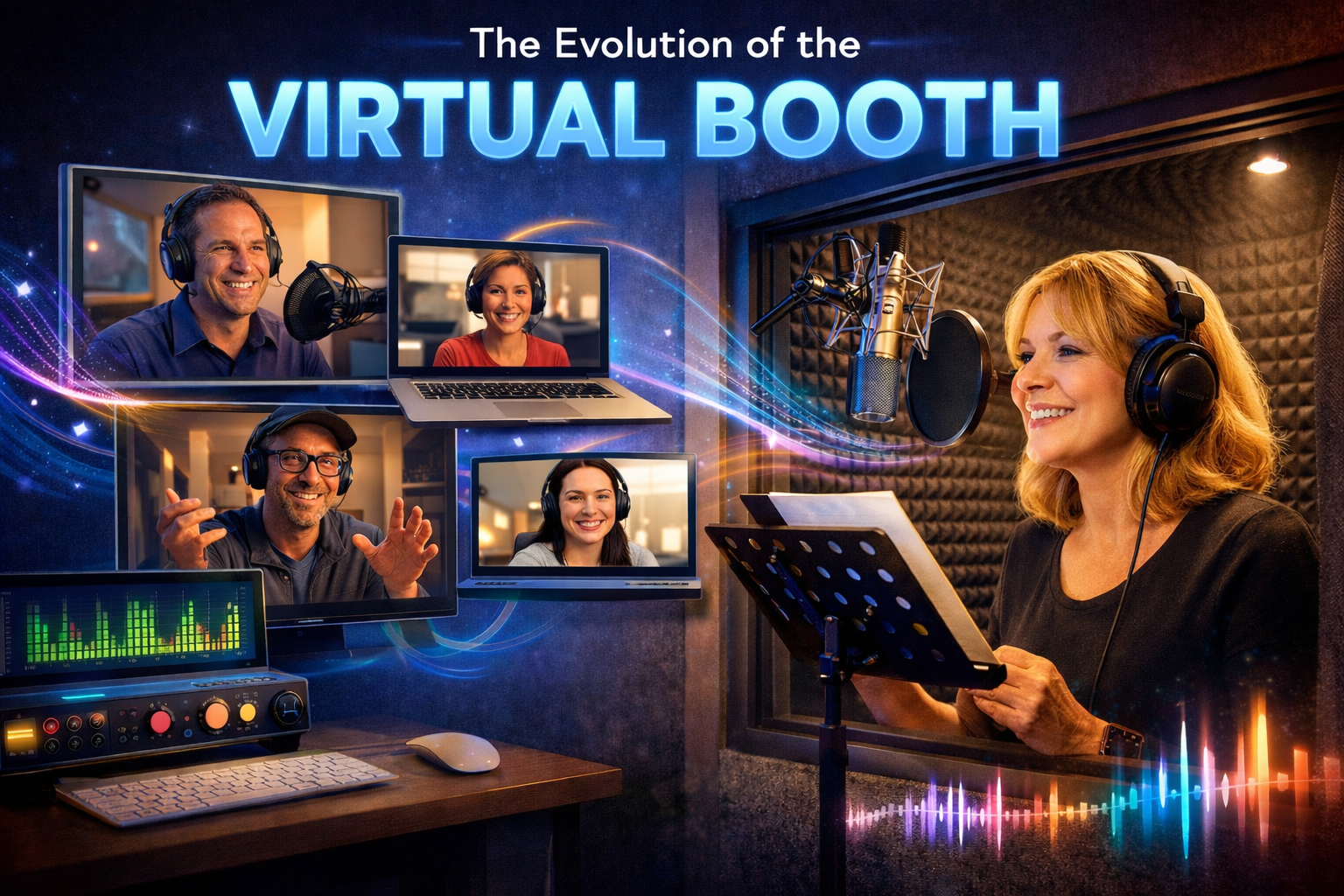
The Evolution of the Virtual Booth

Not to hint at my age (but to give a nod to my longevity in the business), I remember when traveling to a physical studio was the only way voiceover was done. Voice actors had to live in or near major cities where jobs were rampant to be part of the slate of ongoing work.

Not anymore. While remote voiceover sessions were once considered a newfangled option, they have since become the industry norm.

Faster internet speeds, advances in remote recording software, and home studio technology now lets us voiceover artists create broadcast-quality recordings without even needing to leave our homes. We can live anywhere while doing it, to boot.

We’re not just talking about having a home studio where voice actors record their part and submit a completed digital file. We’re talking high-tech remote voiceover sessions where producers, directors, and voice actors can collaborate in real time without being in the same studio.

Using specialized audio platforms and communication tools, creative teams can listen, direct, and refine a performance while we voice actors record from our professional home studio.

In a typical remote directed session, the voice actor connects to the client or studio through a platform such as Source Connect, Cleanfeed, or Zoom while recording locally in their studio. The director provides feedback live, guiding the performance just as they would in a traditional recording booth.

Getting to live where I love while I do what I love is one of my biggest advantages. And I’m not the only one benefiting. Being able to provide remote direction provides perks for producers and creative teams as well. It results in:

  • Faster production timelines because sessions can be scheduled quickly
  • Fewer revisions because direction happens in real time
  • Access to experienced voice talent anywhere in the country
  • Stronger collaboration between talent, producers, and clients

With a husband who is keen on new technologies, remote sessions became part of my everyday professional workflow pretty early in the game.

We made sure I had a properly equipped home studio paired with reliable remote connection tools that allowed producers to direct sessions live while capturing clean, broadcast-ready audio.

Pre-Session Preparation: The Blueprint for Success

Successful remote sessions rarely happen by accident. While technology takes care of a lot of the heavy lifting, real people are still the key to remote voiceover session success.

Script Optimization

Clear preparation before the recording begins saves time, prevents confusion, and helps everyone focus on performance rather than troubleshooting.

Before a session begins, it’s essential to review the script carefully. Small changes in punctuation or wording can significantly affect pacing and delivery.

Key areas to review include:

Grammar and punctuation
Punctuation acts as a roadmap for performance. Commas, ellipses, and sentence length influence pauses, rhythm, and emphasis.

Speakability
A script may look fine on paper but feel awkward when spoken. Reading the script aloud helps pinpoint phrases that may difficult to say naturally.

Timing
For most voiceover formats, the standard pacing guideline is roughly:

• 120–150 words per minute for conversational reads
• 150–160 words per minute for faster commercial reads

If a script needs to fit a strict duration, checking word count early prevents last-minute edits during the session.

Creative Briefing

A strong creative brief gives us voice actors direction before the recording even begins.

Helpful elements in a brief include:

• Target audience
• Emotional tone
• Brand personality
• Energy level
• Pace of delivery

Some directors use comparison examples to clarify tone. For instance, saying “confident but relaxed” or referencing a familiar style can help us quickly understand the direction.

The goal is not to restrict the voice actor’s performance, but to give us enough context to make smart choices during the session.

Materials Delivery

Sending materials in advance also helps sessions run smoothly. At the very least, send along:

• Final script version
• Pronunciation notes for unusual names or technical terms
• Timing requirements
• Reference audio if available

Providing this information early reduces the number of retakes and keeps the session focused on performance.

The Professional Toolkit: Top Remote Recording Platforms

Remote voiceover sessions rely on a combination of audio streaming platforms and communication tools. The best platform depends on the audio requirements and workflow of the project.

The Industry Gold Standard: Source Connect

Source Connect is one of the most-used platforms in professional voiceover production because it lets us voice actors send uncompressed audio directly from our system to the studios in real time.

You’ll find two common versions used in voiceover:

Source Connect Standard
Designed for independent voice actors and smaller studios.

Source Connect Pro
Typically used by larger studios and post-production houses.

Top advantages of Source Connect include:

• Broadcast-quality audio streaming
• Low latency connections
• Direct integration with studio recording systems

Because of its reliability and sound quality, many of my clients who engage in commercial and broadcast projects are thrilled when they learn I use Source Connect.

Browser-Based Studio Links

If you’re looking for other options, several platforms offer studio-quality audio connections through a web browser.

Source-Nexus Gateway
Designed for professional studios needing high-quality remote connections.

SessionLinkPro
A browser-based system often used for ADR (or automated dialogue replacement), voiceover sessions, and remote studio work.

These platforms eliminate the need for complex installations while still delivering strong audio quality.

Cleanfeed and ipDTL

Cleanfeed and ipDTL are popular remote recording platforms used across voiceover, podcasting, and broadcast production.

Cleanfeed
• High-quality browser-based audio
• Simple setup
• Often used for interviews and narration

ipDTL
• Often considered a modern replacement for ISDN
• Allows remote studio connections with high-quality audio

Both options are widely used when clients need reliable remote recording without complex setup.

Low-Latency Specialists

For those who prize fast action, you’ll find several systems focused on extremely low delay between participants.

ConnectionOpen is designed for ultra-low latency connections, making it useful when tight synchronization between studio systems is required.

These tools are particularly useful for post-production environments where audio timing must be extremely precise.

Communication Platforms

Even when high-quality audio is being recorded locally, teams often use communication platforms to run the session.

Common options include:

• Zoom
• Google Meet
• Skype

In these types of setups, voice actors record locally in their studio while the director listens and provides feedback through the call.

This approach can work well when the production team prefers the talent delivers final audio files after the session.

The Reliable Backup: Phone Patch

Although not nearly as popular as it once was, a phone patch can still serve as a simple backup solution if the internet connection goes down.

Directors can monitor the session through a phone line while we voice actors record locally.

While it’s not ideal for critical listening, phone patches remain a dependable fallback option.

Running the Session: Hierarchy and Etiquette

Once the session begins, clear communication keeps the recording relaxed yet still moving along at an efficient pace.

Establishing the Virtual Room

Just like in a physical studio, sessions are still going to flow better if you take a moment to personally connect before recording begins.

A typical session might kick off with:

• Greeting the team
• Introducing everyone on the call
• Confirming the script version
• Testing audio connections

Though small, these steps are huge when it comes to helping everyone feel comfortable while ensuring the session starts smoothly.

The Communication Hierarchy

Remote sessions work best when one person is responsible for delivering direction.

Typically:

Producer or Director
Acts as the primary source of direction and feedback.

Client or Stakeholder
Observes the session and may provide feedback during designated moments.

This structure is golden for preventing too many cooks in the kitchen (or recording studio). It helps stop multiple people from speaking at once or giving conflicting instructions.

Direction Techniques That Work

Clear, specific feedback goes a long way toward helping us voice actors deliver what the project needs.

The most effective direction includes things like:

Encouraging natural pacing
Rather than pushing for speed, allow the performance to feel conversational.

Giving example reads when necessary
Occasionally demonstrating the rhythm or emphasis you want can clarify direction.

Using the “one more take” approach
After several directed takes, you can always ask the actor to perform one final read without thinking about previous notes. When clients give me this directive, the end result is often the most natural, relaxed delivery.

Directing Without a Live Call

Not every project involves a live session. Many voiceover projects are recorded in various stages at various places without the real-time connection.

In this type of asynchronous workflow, we actors record the audio independently and then deliver our files for review.

The Asynchronous Workflow

A typical process looks like this:

  1. Client sends script and direction notes

  2. Voice actor records initial takes

  3. Files are uploaded to a shared folder

  4. Client reviews and requests pickups if needed

Cloud storage services such as Google Drive or Dropbox are typically used to deliver the files in such cases.

Providing Clear Written Feedback

When working without a live session, it’s even more integral that feedback be as specific as possible.

Instead of general comments like “try it again,” it’s much more helpful when clients say things like:

• “Slow the pacing slightly in paragraph two.”
• “More warmth on the closing line.”
• “Emphasize the product name.”

Clear feedback can greatly reduce the number of revision rounds – and subsequent headaches.

Using Scratch Tracks

Scratch tracks can be another helpful tool for producing accurate results. Scratch tracks are temporary reference recordings that demonstrate pacing, tone, or energy level.

Voice actors can then record a polished performance based on that guide.

Scratch tracks are particularly useful for:

• animation
• explainer videos
• tightly timed commercials

Technical Requirements for Broadcast-Quality Remote Recording

No matter how much creativity, talent and skill are involved, you still need the proper equipment and environment to produce high-quality voiceover recordings.

Studio Hardware

My professional voiceover studio includes:

• A high-quality condenser microphone
• A pop filter to reduce plosives
• An audio interface
• Studio headphones
• Acoustic treatment to reduce room reflections

When we set up my home studio, we ensured all these components were in place to help capture clean, clear audio suitable for commercial use.

I can’t emphasize enough how important it is to maintain a professional home studio that meets broadcast standards, giving clients the confidence to record remotely for any project.

Internet and Connectivity

Stable internet connectivity is critical for remote sessions.

Best practices include:

• Using a wired Ethernet connection instead of Wi-Fi
• Maintaining at least 5 Mbps upload speed
• Closing unnecessary programs during sessions

These steps reduce the chance of dropouts or audio interruptions.

FAQs

A few FAQs may already be on your mind. Here are several that clients have often asked in the past.

How long does a remote voiceover session take?

A typical directed session lasts around one hour for commercial work. Longer projects such as e-learning modules or narration may take one to two hours depending on script length.

Is Source Connect free?

Source Connect offers a limited trial period, after which a subscription is required. Pricing varies depending on whether you use the Standard or Pro version.

What replaced ISDN for voiceover sessions?

Many studios now use ipDTL or Source Connect instead of ISDN. These platforms provide similar or better audio quality while operating over standard internet connections.

Who records the final audio in a remote session?

It depends. There are two common approaches:

We voice actors record locally and deliver the final files after the session.

Or the producer records the audio directly through the remote connection platform.

Both workflows are widely used in voiceover production, depending on the specific needs or preferences for the project at hand.

The Bottom Line

Now that you have a solid rundown on everything involved in the virtual booth, the next step is to put the info to use on your next project. Feel free to reach out for more information on how it all works to produce high-quality, professional recordings from anywhere in the world.

Filed Under: For Voice Over Clients

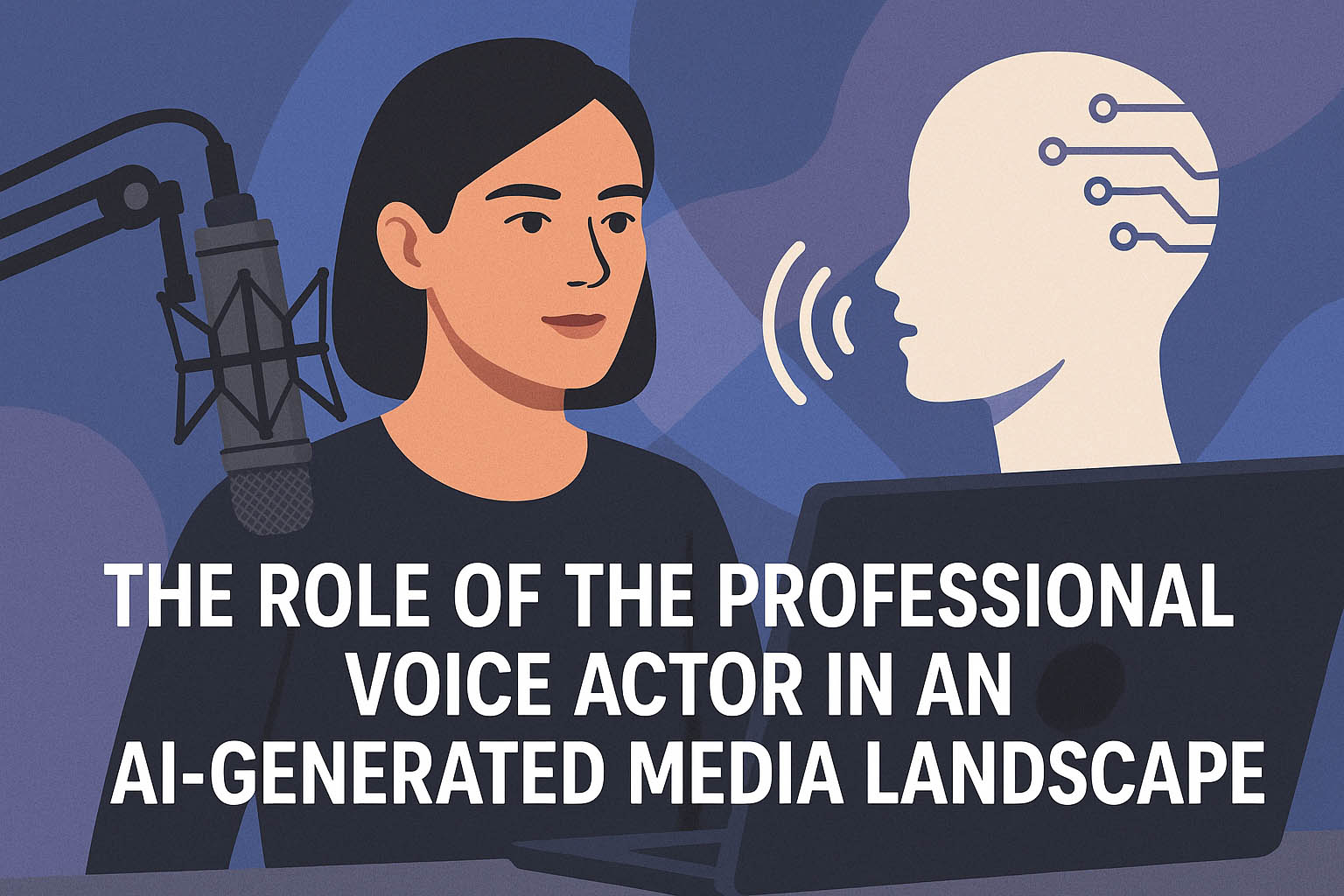
The Role of the Professional Voice Actor in an AI-Generated Media Landscape

October 29, 2025 by Debbie Grattan

Voice Actor in an AI-Generated Media Landscape

The Changing Face of Voice Work

When I first stepped into a recording booth years ago, the only thing competing with a voice actor’s delivery was the quality of the microphone. Producers hired people, not programs. Every read came from a person’s lungs, heart, and mind — not a data model. But today, the media landscape looks entirely different. Artificially generated voices have entered the scene, and they’re not whispering. They’re speaking in full sentences, sometimes with tone and rhythm that make even seasoned producers pause.

That shift has raised a question that ripples through every corner of our industry: where do professional voice actors fit in a world where synthetic voices can be created in seconds? I think about that question often — not with fear, but with focus.

The truth is, this change isn’t the end of our profession. It’s a transformation of how our voices are used, valued, and protected. AI voice tools have made production faster and more affordable in some cases, but they’ve also reminded clients and audiences of something machines still struggle to replicate: authenticity. When a company wants a believable spokesperson, a heartfelt narrator, or a voice that makes people feel something real — they still turn to human talent.

So while technology is evolving, so is our role. A professional voice actor today isn’t just a performer; we’re part storyteller, part strategist, and part brand guardian.

What AI Voice Tools Can and Can’t Do

There’s no denying that synthetic voice tools have gotten smarter. I’ve listened to samples that, on first impression, sound almost convincing. They hit the right pitch, pause in the right places, even add what could pass for emotion. But then, something feels off — like hearing someone read a script without understanding what the words mean. The emotional current is missing.

AI voice tools can mimic tone and speed, but they don’t interpret context. They can’t ask, “What’s the motivation behind this line?” or adjust delivery based on a client’s creative direction. When a company records a national ad or an eLearning series meant to keep people engaged for hours, those subtle human instincts matter. They decide whether the listener stays tuned in or tunes out.

What these tools can do is fill certain gaps. They can generate placeholder reads for drafts, help creators test timing, or assist in projects with limited budgets. In that sense, they’re like a rough sketch before the final painting. But they don’t replace the artistry that gives meaning to the words.

A voice actor interprets, reacts, and adjusts in real time. I might change the weight of a single word to shift the entire message. That’s something a machine doesn’t understand because it doesn’t feel the difference between sincerity and sarcasm, confidence and compassion. It doesn’t understand why a pause can carry more emotion than a line of dialogue.

As producers learn where these systems fall short, they’re starting to see the new balance: technology for efficiency, humans for connection.

Why Authenticity Wins the Audience

When you’ve been in front of a microphone long enough, you start to recognize what audiences respond to — and what they don’t. People connect to imperfections, to little hesitations and breaths that make a read sound alive. Those things don’t fit neatly into data points, but they make all the difference.

I’ve had producers tell me they can spot a cloned voice the moment it starts. It’s not that the synthetic version sounds bad; it just sounds flat. The cadence is too clean, the pitch too stable, the emotion too calculated. The human voice, on the other hand, carries natural variation — subtle fluctuations that mirror how people actually speak. When a voice actor delivers a line about loss, humor, pride, or excitement, there’s an emotional memory behind it. Listeners can hear that.

Think about the difference between reading a text message that says “I’m fine” and hearing someone say it out loud. The tone changes everything. That’s what keeps voice actors essential. We don’t just read words; we interpret them. We give context and emotional shape to ideas.

In advertising, that authenticity builds trust. In audiobooks, it keeps a listener turning pages. In training videos, it prevents monotony from dulling important information. A machine might say the same words, but it won’t make you care.

That’s why brands are becoming more cautious. They know audiences value transparency, and if something feels artificial, they’ll tune out — or worse, stop trusting the message. Real voices, real reactions, and real intention still win every time.

Collaboration, Not Competition

I don’t see synthetic voice tools as the enemy. I see them as a new instrument in a much larger orchestra of media production. They’re not going away, and pretending they don’t exist doesn’t help anyone. What matters is how we, as professionals, choose to use them — or not use them — to strengthen what we already do best.

Some of my clients use AI voices for internal drafts or product demos. That’s fine. It gives them a rough idea of pacing or tone before they call me in to record the final version. When I step in, my job is to bring the piece to life — to add the rhythm, emotion, and personality that a computer can’t. In that sense, AI doesn’t replace me; it sets the stage for me to perform at my best.

There’s also a growing opportunity for collaboration. Voice actors can partner with technology rather than fight it. For example, using AI-assisted editing or transcription tools saves time in post-production. Voice-over professionals can manage multiple projects more efficiently while keeping their performance at the center.

That said, collaboration doesn’t mean compromise. I’m careful about how my voice data is used and who has access to it. Every actor should be. We’re not just protecting our income — we’re protecting our vocal identity. A voiceprint is as unique as a fingerprint, and once it’s digitized, it needs to be guarded.

So this moment in our industry isn’t about losing ground; it’s about redefining it. The best voice actors are learning where the new boundaries are, how to adapt workflows, and how to ensure technology serves creativity, not the other way around.

Building a Future-Proof Voice Acting Career

If there’s one thing this industry teaches you, it’s that adaptation isn’t optional. The tools change, the platforms shift, and the expectations evolve right along with them. That’s not new. What’s new is the pace — and the stakes.

To build a voice acting career that stands strong in an AI-driven market, I’ve learned to treat learning as part of the job. Staying curious is just as valuable as staying consistent. I pay attention to how studios, eLearning developers, and ad agencies are integrating synthetic voices. Understanding their reasoning helps me position myself as part of their solution, not an outdated alternative.

Diversification is also crucial. A professional voice actor today can’t rely on one niche. I record for national commercials, corporate explainers, medical narrations, and audiobooks — and each of those areas is shifting in its own way. Some sectors experiment with digital voices for short-term use, while others depend entirely on human tone and empathy. By working across different markets, I protect my income and expand my creative range.

I also make sure my voice isn’t being used in ways I didn’t authorize. That means clear contracts, usage clauses, and client transparency. It’s about setting boundaries early, not after the fact. As technology advances, protecting your voice will be as important as training it.

There’s another side to future-proofing that doesn’t get mentioned enough: personal branding. The stronger your professional identity, the harder it is to replace you. Producers hire people they trust — people whose sound, reliability, and communication make projects easier. That’s something no technology can automate.

For voice actors who stay curious, professional, and protective of their craft, this new era isn’t a threat. It’s a turning point.

Why Human Connection Still Matters Most

Every voice actor I know has had that moment — when the script, the tone, and the message line up perfectly, and you feel it in your chest before the words even leave your mouth. That spark is what connects us to listeners. It’s also what separates a performance from a recording.

Clients sometimes ask if I’m worried about being replaced. The truth is, I’m not. Technology can copy the sound of a voice, but not the thought process that shapes it. When I read a line, I’m not just reacting to punctuation or pacing; I’m reacting to meaning. I picture who I’m talking to. I think about what they need to hear. Machines process data; humans process emotion.

That emotional instinct is what gives voice actors staying power. In storytelling, marketing, education — anywhere words need warmth and credibility — people still crave a real connection. They want to hear intention behind the message. They want to feel like someone understands them.

This is why producers keep coming back to human voices. They know that trust is built person to person, not algorithm to user. A voice actor turns information into conversation. We make people care about a message, not just hear it.

So as media continues to blend human and synthetic elements, the goal isn’t to fight progress — it’s to keep the human voice at the center of it. That’s where emotion, trust, and meaning live.

As for me, I plan to keep doing what I’ve always done: use my voice to tell stories that connect, inform, and inspire. The tools may change, but the purpose stays the same.

FAQs

What role do professional voice actors play in the age of AI?

Professional voice actors bring context, empathy, and creative judgment that synthetic voices can’t match. Technology can imitate tone, but it doesn’t understand emotion. Human performance still drives engagement and trust in advertising, narration, and storytelling.

Can AI replace real voice talent?

It can replace certain short-term or low-budget applications, but not authentic storytelling. Producers continue hiring professional voice talent because audiences respond to sincerity and emotional depth — something AI systems can’t replicate.

How are voice actors adapting to new technology?

Many of us use AI tools for editing, timing, or transcription, but not for replacing performance. Adapting means learning how technology fits into production while protecting our vocal identity and creative value.

Why do clients still prefer human voices for major projects?

Because human voices connect. They carry subtle timing, tone, and emotional understanding that make a message believable. A listener can tell when a person means what they say — and that authenticity builds loyalty and credibility.

Filed Under: For Voice Over Clients, For Voice Over Talent, Uncategorized

Here’s the Coolest Pickleball Commercial That I Missed Out On

October 16, 2025 by Debbie Grattan

It’s sleek. It’s smooth. It features the world’s top women’s pickleball player, 18-year-old Anna Leigh Waters, promoting Paddletek pickleball gear. It also features a female voice over talent with just the right tone delivering just the right message – a voice over actor that could have been me.

The “it” in this case is the short, sassy and highly effective “Paddletek | Not A Real Sport” video seen below.


Yes, I was kicking myself (gently) for not even getting an audition for the project. Not because I feel I am the one and only voice over talent that could have narrated the video – but because I regularly play pickleball with Paddletek President and CEO Curtis Smith.

Geesh! Talk about a missed opportunity.

Granted, there may be a ton of cooks in the kitchen when it comes to hiring voice over actors for their company projects. While Curtis remains involved in Paddletek, the company itself was sold to Thirty-5 Capital and has operated as a part of United Pickleball Paddles (UPP) since last year.

The video allocates credit to three different entities: the advertising agency of Young & Laramore, the music agency of Songs For Film & TV, and the music sync and streaming-related services provider of Checked Label Services.

Curtis could have been far removed from the entire auditioning or video creation process. But that’s not the point. The point is that I don’t recall ever even mentioning that I have been a successful voice over artist for the past 25+ years.

Thankfully, the gentle kicking of myself stopped rather quickly. It instead morphed into a big lesson that I want to share with everyone:

You never know when mentioning your occupation or career path could lead to great opportunities – so make it a habit to mention them regularly.

This is not to say you need to hold up the grocery line by giving the cashier your entire work history – but it is to emphasize the importance of spreading the word about who you are and what you do. You never know who’s listening!

How to Market without Marketing in Daily Interactions

The first suggestion for spreading the word about your career is to get rid of the “marketing” mindset. You are not plugging your products or services. You are simply inserting information into the conversation to give people a better idea of what you’re all about.

One of the easiest ways to do this is to start by asking the other person about their own interests, hobbies and careers. You can then reciprocate by sharing the same information about yourself.

When it’s time to mention your job or career, don’t just leave it a one-sentence title. Flesh it out by showcasing a problem you solve, the passion or enthusiasm you have for what you do, or an exciting project you are working on.

Examples can include:

  • Problem you solve as a writer and editor: I help people transform what’s in their heart into words to be read by the world.
  • Passion you have as a voice over talent: My favorite part of my job is being able to embody the personality of a brand through my voice.
  • Enthusiasm you have as a shoe salesperson: Nothing beats the smile on people’s faces when they have happy and fashionable feet.
  • Exciting project you’re working on as an artist: As an animal lover, I am so excited to have been chosen to paint a wildlife mural on the wall around the nature preserve.

Keep the conversation going by asking the other person about the problems they solve, the passions that fuel their projects, and the exciting creations on their agenda.

How to Spot Opportunities

Paying attention to everything around you is not only a good practice for fully experiencing life, but it can do wonders for opening you up to business opportunities. Things to look for can include:

  • Everyday inconveniences and problems that beg for the solution you offer
  • Not-so-obvious situations where what you offer could be relevant or helpful
  • Opportunities to share your knowledge and info in your field
  • Chances to ask for input or feedback from others on something you’re creating or working on
  • Giving people a sample of your services or expertise at no charge

Additional Tips for a Highly Specific Niche

Some occupations, products and services are more popular or in-demand than others. Everyone wears shoes, much to the delight of the shoe salespeople. But not everyone will need voice over work, which means we voice over artists – and others in highly specific niches – need to get a bit creative.

One of the best suggestions here is never to force a mention of your occupation when it feels awkward or stilted. Instead, focus on listening intently to others, dropping a mention when it feels natural and right.

Storytelling is another way to highlight your profession in a conversational manner. Perhaps you have a strange, applicable, hilarious or lesson-learning story that involves one of your projects that aligns with the conversation’s topic.

If kids are around, practice one of your kid-friendly voices to relate to the children. Then mention how much fun it is to have a job where you get to create different voices.

Trends are another topic that can connect with what you do. Animation, for example, is experiencing a huge surge in demand and popularity. What a perfect place to note that you had the pleasure of voicing one of the most amusing animated projects this year.

If you’re in a setting where an ad comes on, there’s your opening. You can talk about the narrator’s voice and how important it is in your line of work. You can also share about one of the most amusing commercials you worked on recently.

The same type of conversational flow can be created when other topics or examples come up. These can include audiobooks, podcasts, documentaries, infomercials or even really bad robocalls. There’s your chance to point out what would make for a more engaging automated phone call or system.

Keep Your Antenna Up for Related Professions

One more tip that applies to every profession is to keep your ears open for those in related professions. You can inquire about some of the current projects they are working on, then ask how they typically go about securing the services you provide when those services are needed.

For voice over artists, this could include video production companies, advertising agencies, marketing departments and, yes, company presidents and CEOs on the pickleball court.

Although I missed out on the “Paddletek | Not A Real Sport” video, hopefully what I’ve learned and shared gives us all a greater awareness of the importance of mentioning our professions to those around us.

And it also left me with an automatic conversation starter the next time I see Curtis. After complimenting the great job on his company’s video, I can ask about the process for possibly auditioning for additional projects down the line.

Filed Under: For Voice Over Clients, For Voice Over Talent, Fun Stuff Tagged With: Featured, Featured Commercial

Keep the Awards Coming! VO Projects Win Big in 2025

August 22, 2025 by Debbie Grattan

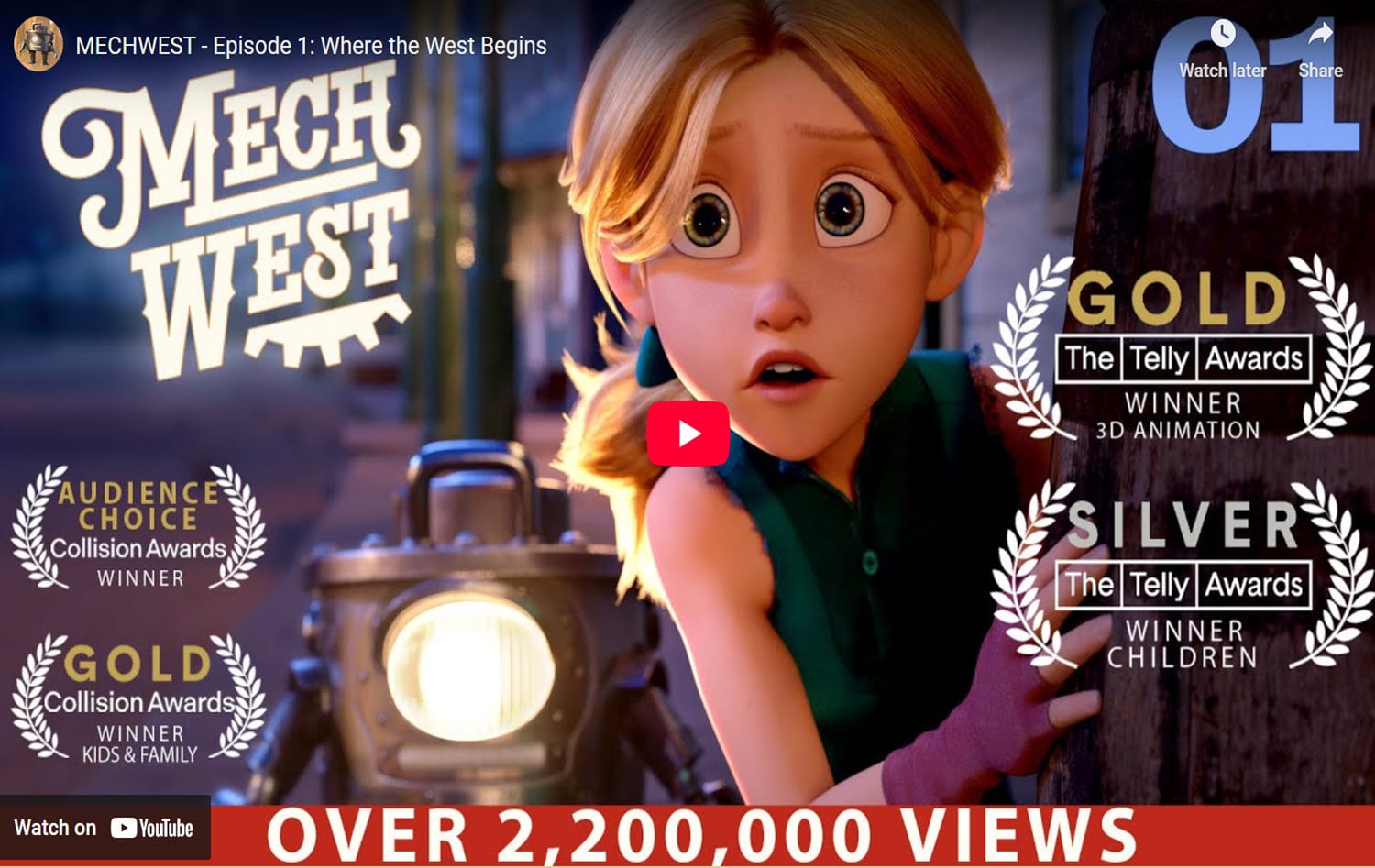
Photo from mechwestshow.com

As if doing voice over for animation projects isn’t enough fun on its own, it becomes even more exciting when those projects win multiple awards. Just ask my daughter Natalie Rarick. She was part of two projects that recently scooped up a number of honors from three notable organizations. The projects are:

Teek and Tom Explore Planet Earth

Available on the NOAA website, this five-part animated series explains the ocean’s influence on our planet’s weather and climate. Natalie was the voice of Teek, a curious one-eyed purple alien who asks a zillion questions of NOAA climate scientist Tom Di Liberto. See our previous post here.

MechWest

Natalie and I both had the pleasure of working on MechWest, a cartoon world where robots, called mechs, meet the Wild West. Natalie is the voice of “Pearl,” one of the main characters of the series. I got to play some bit parts and help out with some of the VO session directing. The series was created by a father-son team. See our previous post here.

Photo from oceantoday.noaa.gov

Awards for ‘Teek and Tom’

The National Oceanic and Atmospheric Administration (NOAA) definitely had an out-of-this-world hit with “Teek and Tom.” The project scored nine awards and a slot in the finalist category for an additional honor.

Telly Awards 2025

  • Gold – Sound and Sound Design (Episode 1)
  • Gold – Voice Over and Narration (Episode 1)
  • Silver – Education and Discovery (Entire Series)
  • Bronze – Craft-Fully Animated Piece (Episode 1)

It was heavy metal across the board with the Telly awards scored by “Teek and Tom.” The show brought home two Gold awards, one Silver and one Bronze.

Collision Awards 2025

  • Silver – Kids and Family, General category
  • Silver – Character Design, Craft category
  • Silver – Music
  • Silver – Voice Acting

“Teek and Tom” swooped up four different Collision Awards in the Silver category, including one for voice acting.

Shorty Awards 2025

  • Bronze – Audience Honor for Animation
  • Finalist – Government and Politics

Teek would be thrilled that the show was up for two Shorty award categories, with public votes helping them win one and place as a finalist in the other.

Mech West branding for mother daughter voiceover interview

Awards for ‘MechWest’

Robots in the Wild West are apparently wildly successful, as evidenced with the four awards bestowed upon the “MechWest” series.

Telly Awards 2025

  • Gold – Craft, 3-D Animation (Episodes 1 and 2)
  • Silver – General, Children

Episodes 1 and 2 snagged Gold awards for the specialized category of 3-D Animation. The entire series was honored with a Silver award for being one of the top shows created for children this year.

Collision Awards 2025

  • Gold – Kids and Family, General category
  • Audience Choice

“MechWest” lassoed in both the Gold and Audience Choice awards in the kids and family television category.

What the Awards Signify

Telly Awards

Recognizing excellence in the television and video industry, the prestigious Telly Awards signify recognition for a project’s originality, quality and creativity. Part of the prestige comes from the panel of 200 judges, industry experts from major production companies, streaming services and television networks.

Collision Awards

Given for excellence in animation and motion design, the Collision Awards are also chosen by a judging panel of industry experts. These prestigious honors signify a high level of recognition and achievement in the industry, highlighting projects that exhibit strong technical talent and creativity.

Shorty Awards

These international awards acknowledge and celebrate the best in digital and social media across the globe. The Shorty Awards highlight innovation and creativity, honoring projects that shape how people interact and connect in the online world.

Photo from oceantoday.noaa.gov

Collaboration at Its Best

Both “Teek and Tom” and “MechWest” are not only entertaining and captivating, but they truly illustrate what can happen when talented professionals work together to create something truly magical. Congratulations to everyone who contributed to the projects – and if you haven’t seen them yet, do take a gander at these award-winning shows.

“Teek and Tom” on the NOAA website: https://oceantoday.noaa.gov/teekandtom/

“MechWest” website: https://mechwestshow.com/

Filed Under: For Voice Over Clients, For Voice Over Talent, Fun Stuff Tagged With: Featured, Featured Character

Republican Negative Political Narration

June 19, 2025 by Debbie Grattan

What Is Republican Negative Political Narration, Really?

Let’s be honest, politics isn’t always sunshine and campaign balloons. Sometimes, you’ve got to shine a light on the messy parts. Republican negative political narration refers to the type of voiceover work that critiques or questions decisions, actions, or candidates associated with the Republican Party. It’s not about shouting into a void or ranting with a megaphone, it’s about delivering a serious message with clarity, poise, and purpose. That’s where Debbie Grattan steps in. She’s got the kind of voice that can cut through the noise. Its measured, credible, and never over-the-top. When the script calls for honesty without hysteria, Debbie brings it.

Statue of Liberty representing the Republican Negative Political Narration article.

Why the Right Voice Matters in Political Narration

Political narration, especially on the negative side, is a bit of a tightrope walk. You need to communicate real concerns without sounding like you’re reading from a scorched-earth playbook. A heavy-handed voiceover can turn people off fast. But a balanced one? That makes folks lean in. Debbie Grattan has been working in political narration long enough to know the difference. She knows how to approach a sensitive script whether it’s calling out hypocrisy in a recent policy shift or highlighting inconsistencies in a candidate’s record, without turning the audience into skeptics.

Getting the Tone Right (Without the Drama)

This type of narration isn’t about stirring up drama or throwing punches. It’s about holding attention while delivering a pointed message. So yes, there’s a very fine line between being firm and being abrasive. Debbie hits that sweet spot. Her delivery brings just enough seriousness to get the message across, without sounding like it’s coming from a doomsday bunker. Whether it’s a line like “Voters deserve better” or “The facts speak for themselves”, she delivers it in a way that feels grounded and frankly, trustworthy.

Washington Library representing the Republican Negative Political Narration article.

A Calm Voice in a Heated Arena

Let’s face it: political advertising can get pretty loud. There’s a lot of “us vs. them” energy out there, and audiences are more tuned in (and more skeptical) than ever. So when you’re trying to highlight the flaws in a Republican policy or candidate, the last thing you want is a voice that feels combative. Debbie Grattan’s strength is her ability to sound like the calm person in the room. She doesn’t need to shout to be heard. Her voice carries weight because it feels real. A bit like a friend pulling you aside and giving you the facts straight.

Republican Negative Political Narration Summed Up

There are plenty of voice actors out there. But not everyone can handle Republican negative political narration without tipping into sensationalism or sounding robotic. Debbie’s experience spans everything from healthcare PSAs to courtroom-style campaign ads. She knows how to adjust her tone depending on the stakes. She brings a clear, even energy to her reads, producers know they’re getting more than just a voice – they’re getting a message that lands.

Whether it’s a 30-second radio spot or a digital ad campaign dissecting policy positions, Debbie Grattan delivers every line with intention. In a political climate that’s full of noise, that kind of voice is exactly what you want in your corner.

Filed Under: For Voice Over Clients

  • Page 1
  • Page 2
  • Page 3
  • Interim pages omitted …
  • Page 41
  • Go to Next Page »

Primary Sidebar

"*" indicates required fields

This field is for validation purposes and should be left unchanged.

Bring Debbie the details of your next commercial, narration, phone system recording or other voiceover project. Receive a detailed quote, custom audition, and the ultimate in voice quality.

CONTACT ME

REQUEST A DETAILED QUOTE
REQUEST AN AUDITION

CATEGORIES

  • For Voice Over Clients (145)
  • For Voice Over Talent (129)
  • Fun Stuff (10)
  • Uncategorized (2)

Search for:

Recent Posts

  • How to Write a Voice Over Script (With Template & Examples)
  • The Ultimate Guide to Remote Voiceover Direction: Tools, Best Practices, and Studio Standards
  • The Role of the Professional Voice Actor in an AI-Generated Media Landscape
  • Here’s the Coolest Pickleball Commercial That I Missed Out On
  • Keep the Awards Coming! VO Projects Win Big in 2025

Recent Blog Posts

  • Here’s the Coolest Pickleball Commercial That I Missed Out On
  • Keep the Awards Coming! VO Projects Win Big in 2025
  • The Impact of Rock Radio Imaging
  • Here’s the Coolest Pickleball Commercial That I Missed Out On
  • Keep the Awards Coming! VO Projects Win Big in 2025
  • The Impact of Rock Radio Imaging

1-866-DGVOPRO

Debbie Grattan is a top-rated professional female voice over talent with more than 25 years of experience delivering voice over services worldwide. She regularly records commercial voice overs for radio and tv as well as infomercial voice overs and direct response marketing for children's toys, health, fitness and beauty products. Other specialties include female narration voice overs for corporate narration, web videos, tutorials, explainer videos and technical medical narration. Debbie also provides phone-related voice over services including phone prompts, messages-on-hold and outbound phone marketing for companies in the United States and Canada.

Debbie Grattan Voiceover Talent source-connect
Debbie Grattan Voiceover Talent WoVO

© 2001 - 2026 Debbie Grattan Voiceover Talent | Site Map | Privacy Policy
Website Hosting by UpperLevel Hosting

  • HOME
  • DEMOS
  • ABOUT
  • SERVICES
  • BLOG
  • CONTACT